
Masterclass 03
Build with AI
Don't just use AI. Build with it.
In 6 hours, follow the complete live build of a prototype: framing with Claude, building with Lovable, automating with n8n. No programming prerequisites.
- November 23, 2026
- 6 h live
- Replay included
990 €
Per participant

 Claude
 Cursor
- Lovable
 v0
 Replit
- Bolt
 GitHub Copilot
 Supabase
 n8n
The problem
Building with AI is becoming accessible. Choosing well is still a craft.
Tools now let non-developers build prototypes. Those who know how to frame, choose and test get ahead of those who wait or improvise.
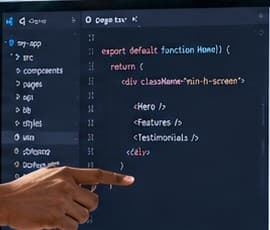
The solution
Learn to go from idea to prototype.
See how to frame the problem, choose the right stack and test the result, with a professional's decisions explained at each step.
The 6 essential skills
What you will truly master
- Turn an idea into a one-page brief
- Choose the right stack for your project
- Build a prototype with Lovable
- Automate what follows with n8n
- Test, with a first security checklist
- Know when to move to AI-assisted coding
The program
3 sessions, one complete prototype built live
- 01
Session 1 — Frame
Framing and a simple architecture with Claude, then first steps in Lovable.
- 02
Session 2 — Build
The prototype in Lovable: data with Supabase and an AI feature.
- 03
Session 3 — Automate and test
A simple automation with n8n, essential tests and the final demonstration.
A concrete result
In 6 hours, you see an idea become a working prototype, tested on a defined scenario.
- Idea & framing
- Prototype
- Automation
- Tests
Pedagogical case — fictitious data.

Haron Hasni
Founder of H5 AI Academy
29+ years in technology, data and AI
Entrepreneur • Investor • Trainer
Why H5 AI
Learn from people who live AI and apply it on real projects.
- A concrete, results-driven approach
- Methods drawn from real projects (healthcare, industry, governance…)
- A selection of genuinely useful tools, not a catalog
- Every choice explained, from the stack to the tests
You leave with
- The H5 Guide to building tools
- Templates and instructions
- The demonstration project
- The n8n workflow, ready to import
- The full replay
- A training certificate
All the details
Before you book
The founder's stack
Claude
think
Claude Code
build
GitHub Codespaces
work from anywhere
Vercel
go online
Stripe
get paid
“Claude is my thinking partner. Claude Code is my execution team. I run my projects from an iPad.”
The detailed program
| Session | What you see built | What you take away |
|---|---|---|
| Session 1 | Framing and a simple architecture with Claude, then first steps in Lovable. | One-page specification template, architecture diagram template |
| Session 2 | The prototype in Lovable: data (Supabase) and AI function. | The instructions used, step by step |
| Session 3 | A simple automation with n8n, essential tests, final demonstration. Short introduction to AI agents: the difference between an assistant, a workflow and an agent, and when an agent is justified. Short, timed demonstration of the founder's stack with Claude Code. | The n8n workflow to import, the testing checklist |
Session 1
What you see built — Framing and a simple architecture with Claude, then first steps in Lovable.
What you take away — One-page specification template, architecture diagram template
Session 2
What you see built — The prototype in Lovable: data (Supabase) and AI function.
What you take away — The instructions used, step by step
Session 3
What you see built — A simple automation with n8n, essential tests, final demonstration. Short introduction to AI agents: the difference between an assistant, a workflow and an agent, and when an agent is justified. Short, timed demonstration of the founder's stack with Claude Code.
What you take away — The n8n workflow to import, the testing checklist
A format designed for following along
One shared case, built end to end by the instructor. There is nothing to install or configure to follow. The replay, the templates and the guide then let you redo each step on your own idea.
All the tools covered
For each tool: what it is for, its strengths, its limits and when to choose it. The goal is not to master every tool, but to know which one fits your project, from idea to working prototype. Each one has its sheet in the H5 Guide.
Frame and design
Turn an idea into a specification and a specialized assistant.
- Claude
Turn an idea into a specification
 OpenAI GPTs
A custom ChatGPT assistant, set up with your instructions and files
- Claude Projects
A Claude workspace with its own instructions and reference documents
 Gemini Gems
A specialized Gemini assistant for a recurring task
Build without coding
An app from a description, put online.
- Lovable
Create an app in plain language and put it online
- Bolt
Create and deploy a web app from a prompt
- Replit
Full environment, all the way to deployment
- v0
Web interfaces with clean code
Data & automation
The database and the workflows that run the prototype.
- Supabase
Database and authentication
- n8n
Workflows and AI agents, open source, self-hostable
 Make
Accessible visual automation
AI-assisted development
When to move to code, and with which tools.
- Claude Code
Development agent
- Cursor
Code editor with AI
- GitHub Copilot
Coding assistant widely used in companies
 GitHub Codespaces
Develop from the browser, even on an iPad
Go live and get paid
 Vercel
Put online
 Stripe
Online payment
In the enterprise
The criteria to review with your IT department: security, governance, integration.
- Microsoft Copilot Studio
AI agents in the Microsoft environment
- Power Automate
Automate Microsoft 365 processes
- Microsoft Foundry
Deploy models within a governed framework
- Amazon Bedrock
Deploy models within a governed framework
- Gemini Enterprise Agent Platform
Deploy models within a governed framework
The demonstration case
The shared case of the demonstration: a renovation workshop receives quote requests through its website. The prototype receives them, summarizes them, stores them and notifies the client and the team.
- 1. FormLovable
The client's request
- Contact details and type of work
- Free description of the project
- Indicative budget
- 2. AI processingAI function
The request understood
- Summary of the request
- Suggested category and priority
- Missing information flagged
- 3. StorageSupabase
The request stored
- One row per request
- Status "to process"
- Access restricted to the team
- 4. Automatic emailn8n
Client and team notified
- Acknowledgement to the client
- Notification to the team
- Sales reply reviewed by a person
A complete scenario, from the form to the automation, built in front of you.
What the method then lets you take on
- Landing pages and websites
- Apps and working prototypes
- Internal tools
- Interfaces and dashboards
- MVPs and first product versions
You don't need to be a developer to start. A first prototype is still not a production-ready product, and this masterclass does not make you a professional developer. You follow the build live; the templates, guide and replay let you redo every step.
Who it is for, and what to expect
Entrepreneurs
See how to test an idea before investing.
Project managers and business teams
Understand how to prototype an internal tool.
Freelancers and consultants
Know how to frame and price a prototype for clients.
Students
A method to build a portfolio project.
No programming prerequisites. Having followed Work with AI is recommended; Agents with AI is a plus.
Frequently asked questions
- I can't code. Is this for me?
- Yes: no programming prerequisites. You follow the build, and every choice is explained.
- Will I build during the course?
- No. You follow the complete build live. The demonstration project, the replay, the templates and the guide let you redo it afterwards.
- Do I need to come with an idea?
- No. We build a shared case; the guide helps you apply the method to your own idea.
- Do I need to create accounts or pay for subscriptions?
- Not to follow the course. To redo it on your own, the guide lists the accounts needed and each tool's plans.
- Is the demonstration prototype ready for real clients?
- No: it is a prototype tested on a defined scenario, with a first security checklist. Going to production takes additional steps, presented in the guide.
- What if the course isn't right for me?
- 30-day guarantee. Refund Policy
The names and logos mentioned belong to their respective owners. H5 AI Academy is neither affiliated with nor sponsored by these vendors.
What's next?
Launch your business, or train your whole team.
November 23, 2026
990 €